
Can't Connect to Proxy Server Windows 10: Quick Fix Guide!
When faced with the 'Can't connect to proxy server Windows 10' error, it's essential to understand the root of the problem. This guide will explore the potential causes, from misconfigured proxy settings to unstable internet connections, and provide you with practical solutions to get you back online in no time.
Causes of The Problem
There are several factors that could lead to the "can't connect to the proxy server" error message on Windows 10. Here's a breakdown of some of the most common causes:
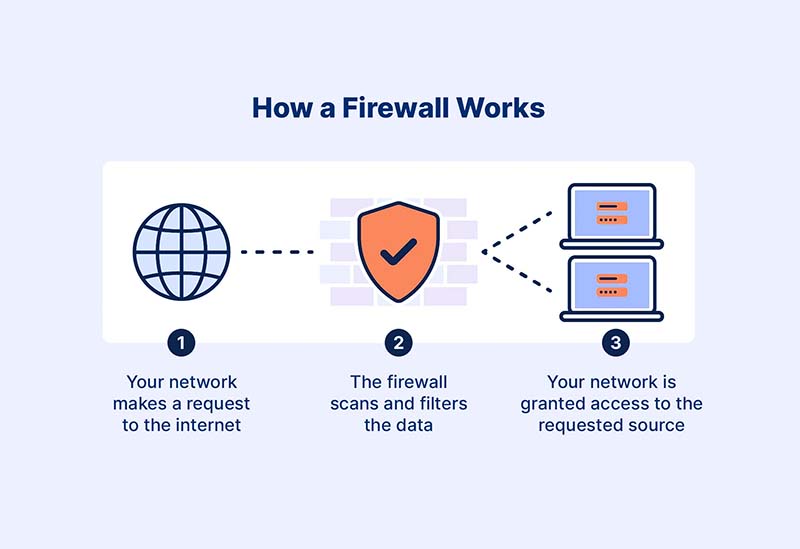
Firewall or Internet Filter Blocking the Connection
Firewalls and internet filters act as security barriers to prevent unauthorized access or to comply with internet usage policies. They can block specific types of traffic or websites, which could include the connection to a proxy server.
Incorrect Proxy Settings
Proxy servers act as intermediaries between your computer and the internet. Incorrect proxy settings, such as entering the wrong IP address, port number, or failing to provide the necessary authentication details (username and password), can hinder the connection.
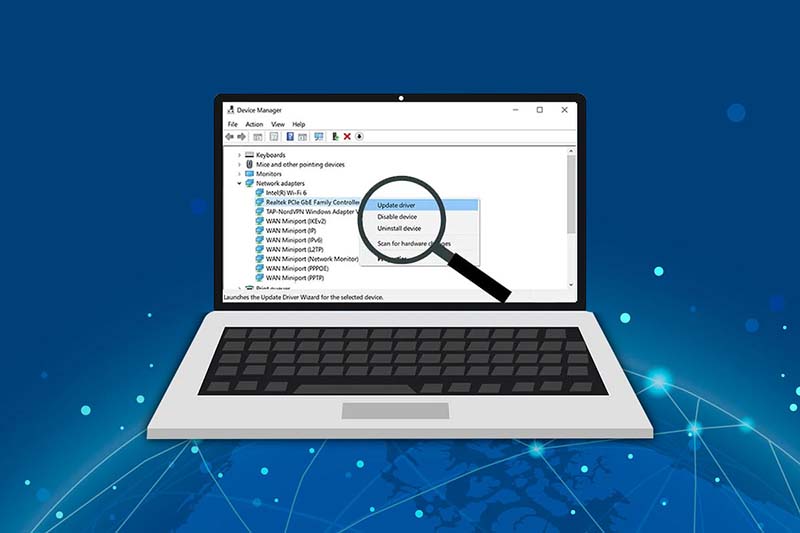
Outdated Network Drivers
Network drivers are software components that enable communication between the computer's operating system and its network hardware. Outdated or incompatible network drivers can cause various connectivity issues, including problems connecting to a proxy server.
Malware or Virus Infection
Malware and viruses can disrupt the computer's internet connection by modifying proxy settings or blocking the connection altogether. This can prevent users from accessing online resources to remove the infection.
How to Fix "Can't Connect to Proxy Server" on Windows 10?
Here are some practical steps you can take to resolve the "Can't Connect to Proxy Server" error on a Windows 10 system:
Reset Internet Options
This issue can sometimes arise from changes in your Internet settings. Follow these steps to reset your settings to default:
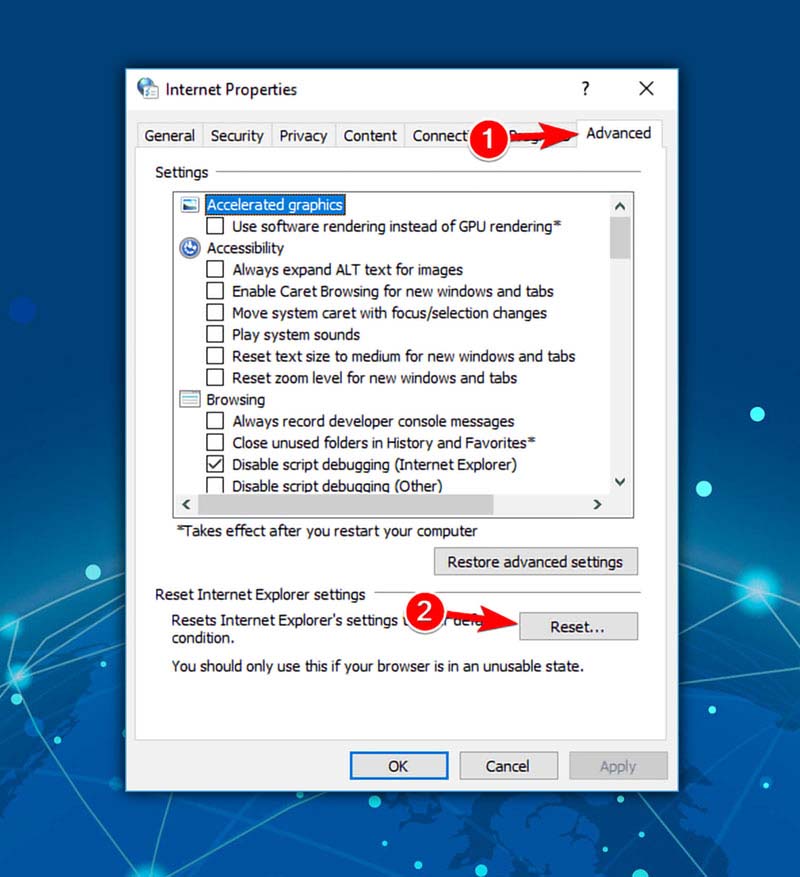
- Press Windows Key + R, type inetcpl.cpl and hit Enter to open Internet Properties.
- Navigate to the "Advanced" tab, then click the "Reset" button.
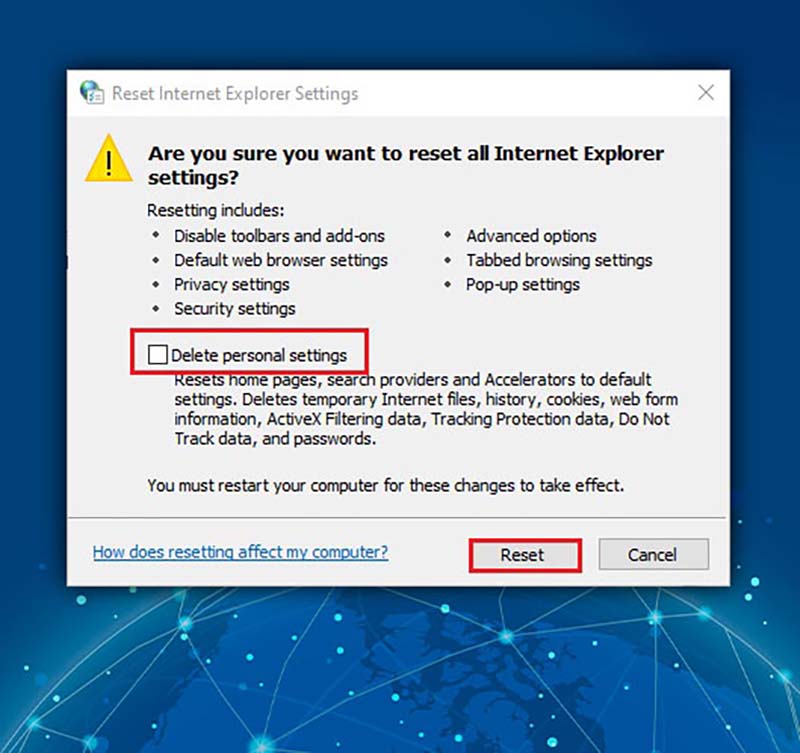
- In the Reset Internet Explorer Settings window, uncheck "Delete personal settings" and click “Reset.”
- Click "OK" in the Internet Properties window, restart your computer, and try connecting to the internet again.
Disable Proxy Server
Follow these steps to disable the proxy server:
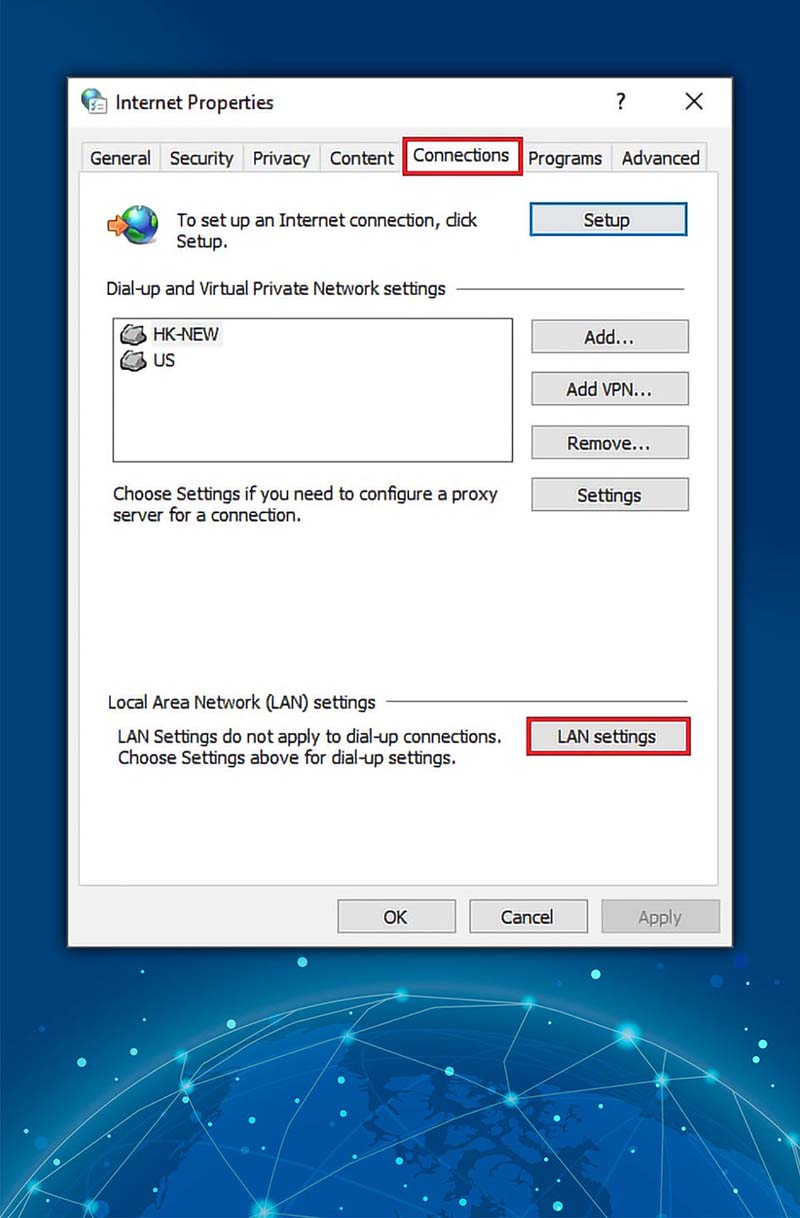
- Search for and open "Internet Options" from the Windows Search tool.
- In the pop-up window, go to the "Connections" tab and click “LAN settings.”
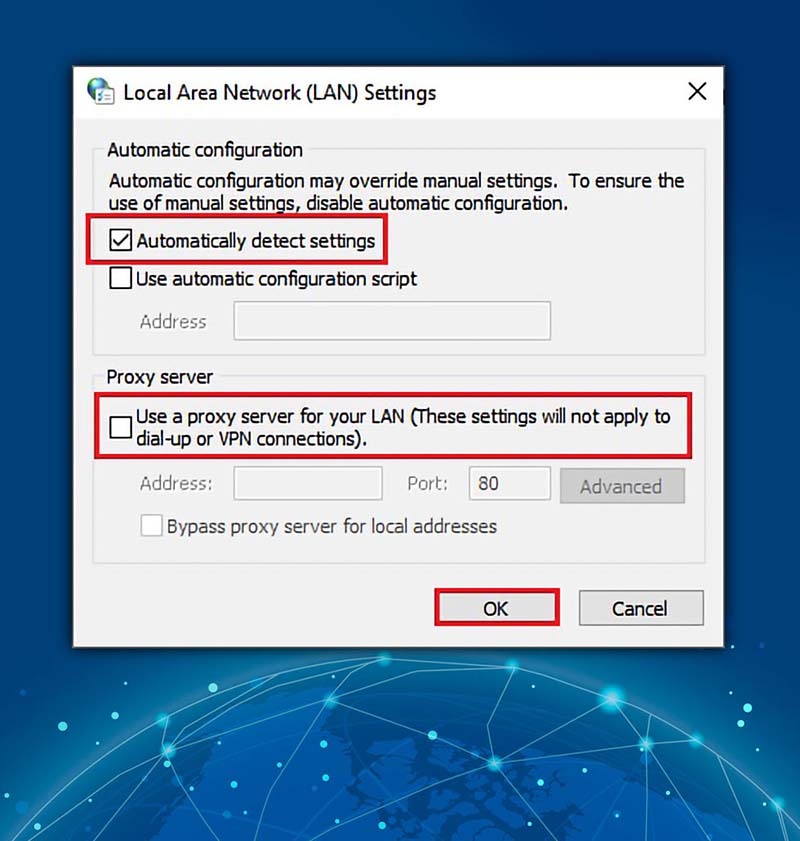
- Check "Automatically detect settings" and ensure "Use a proxy server for your LAN" is unchecked. Click "OK" to save your changes.
Disable VPN Client
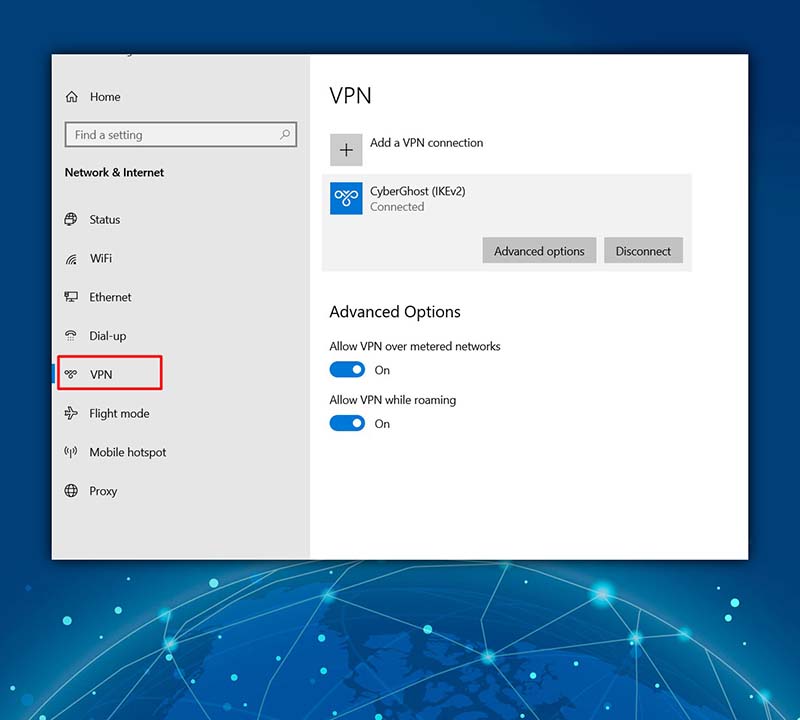
If you have a VPN client installed, disabling it might resolve the issue:
- Open your VPN client and disconnect from the internet.
- Close and exit the VPN client.
Use Ipconfig Command
Running a few commands in Command Prompt can help fix issues related to your IP address:
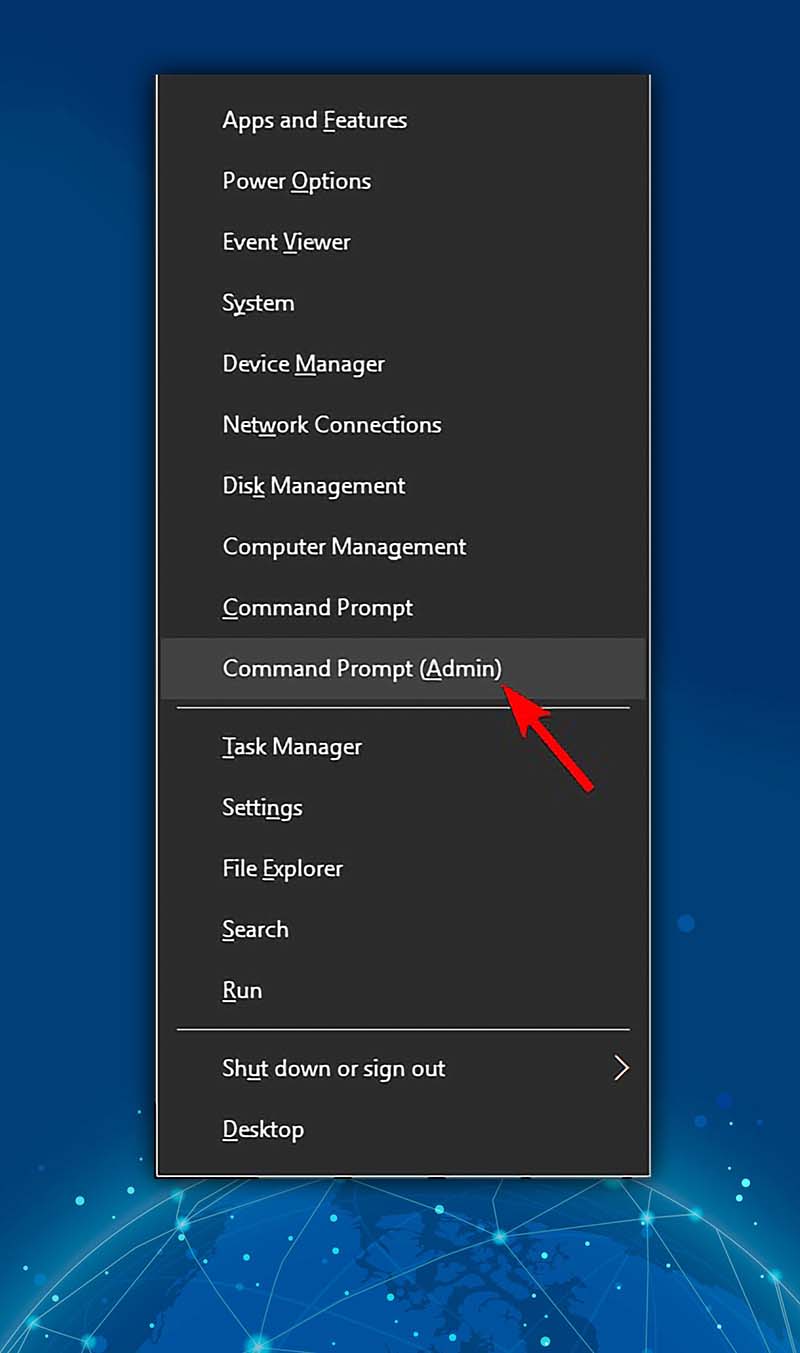
- Open Command Prompt as administrator by pressing Windows Key + X and selecting "Command Prompt (Admin)" or “PowerShell (Admin).”
- Execute the following commands:
ipconfig /release
ipconfig /renew
Close Command Prompt and check if the problem is resolved.
Reset Chrome Browser
Resetting Google Chrome can also help resolve the issue:
- Open Chrome and go to "Settings" from the menu in the top right corner.
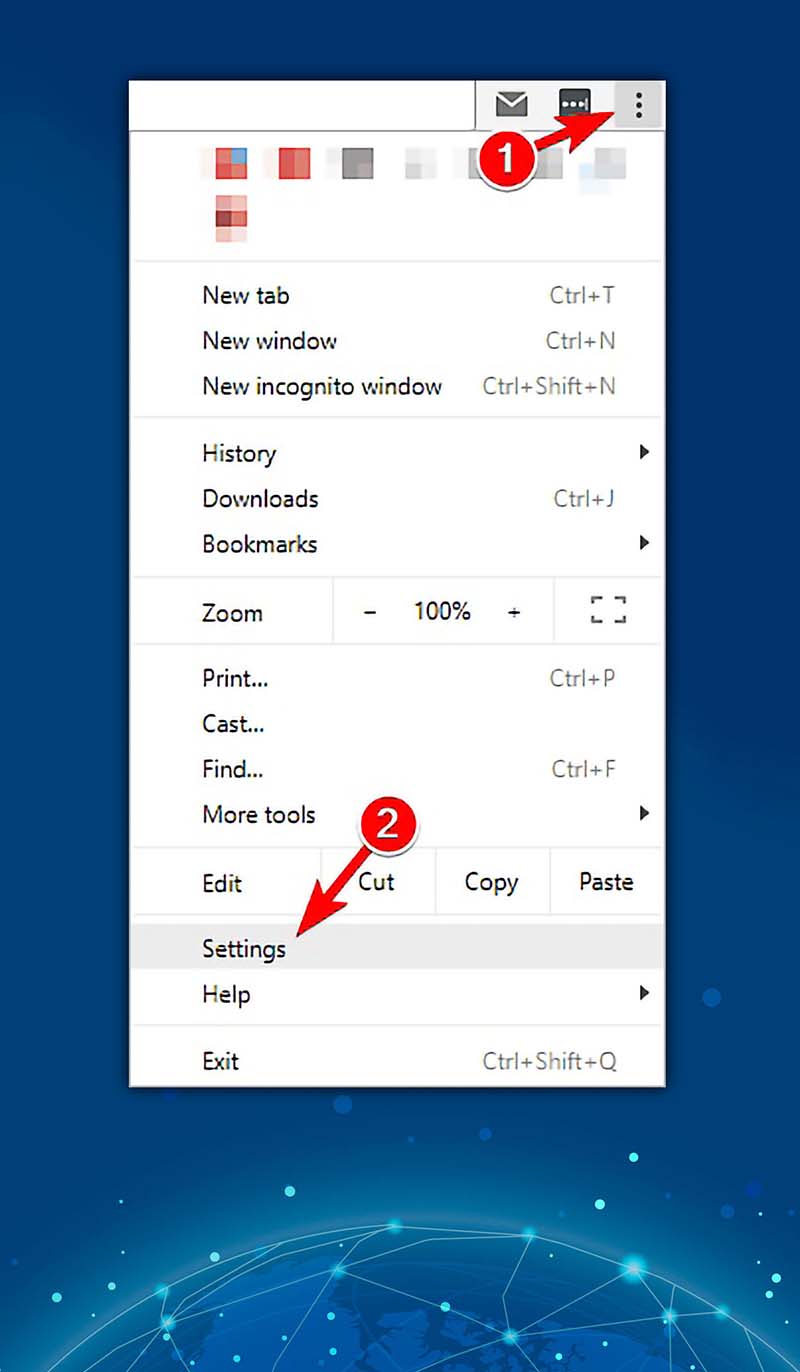
- Select "Reset settings" in the lower left column.
- Click "Restore settings to their original defaults" then select Reset settings in the window that appears.
- Once the reset is complete, Chrome will use default settings. Be sure to remove any malicious extensions that might be causing the error.
Uninstall Conflicting Software
Remove any malicious applications that could be causing the error:
- Uninstall the conflicting software completely, removing all associated files and registry entries.
- Consider using uninstaller software for a faster and more straightforward process.
Scan Your PC For Malware
Use your antivirus software to scan your PC for malware. If your current antivirus doesn't detect anything, try a different one. Removing detected malware should resolve the issue.
Modify Your Registry
Modifying the registry can be a solution, but it should be done cautiously as it can potentially harm your system:
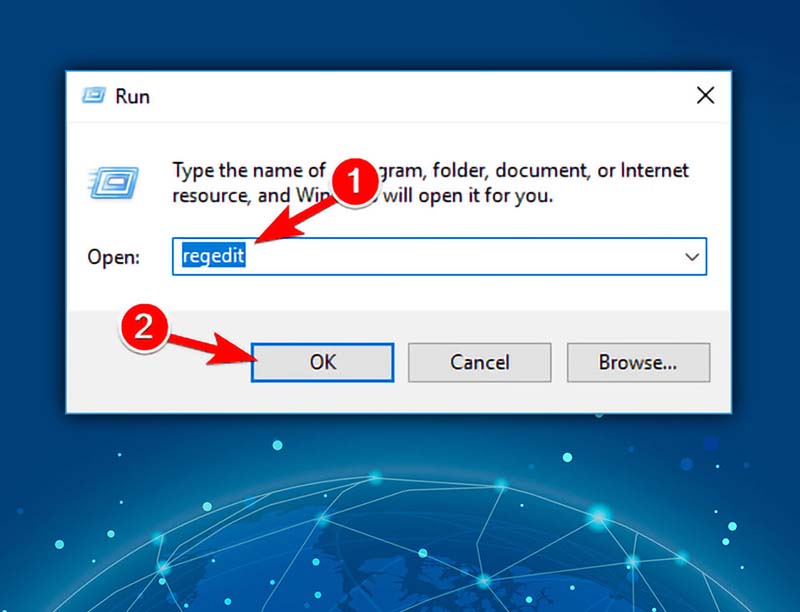
- Press Windows Key + R, type regedit, and press Enter.
- Navigate to Computer\HKEY_CURRENT_USER\Software\Microsoft\Windows\CurrentVersion\Internet Settings.
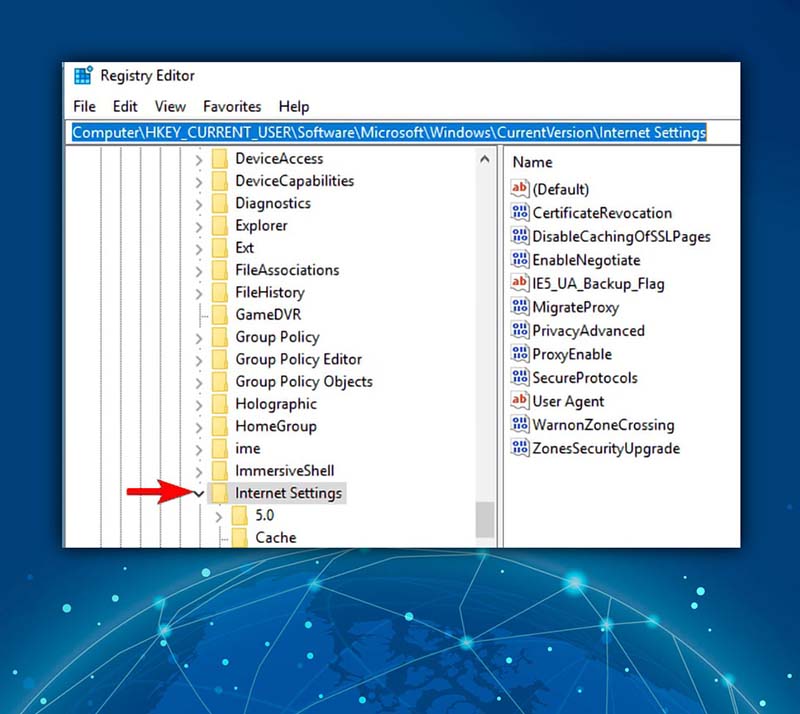
- In the right pane, locate and delete "ProxyEnable" and "ProxyServer" values.
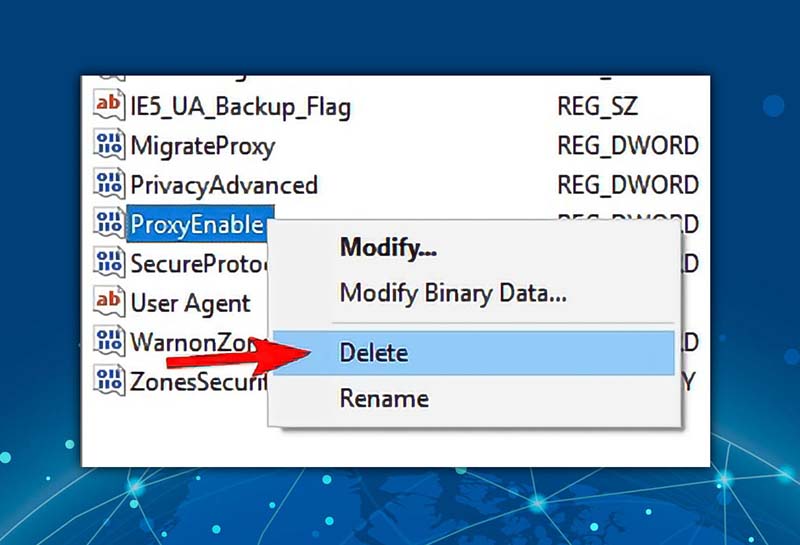
- Be cautious and consider creating a backup before making changes to the registry.
FAQ
How can I troubleshoot network issues that might be causing proxy connection problems?
You can troubleshoot network issues by:
- Resetting your network settings.
- Restarting your router.
- Running the Windows Network Diagnostics tool to identify and fix potential problems.
Can a VPN cause proxy connection issues in Windows 10?
Yes, a VPN can sometimes interfere with proxy server connections. If you suspect your VPN is the culprit, try disabling it to see if that resolves the issue.
How do I resolve a proxy server connection error after a Windows 10 update?
Windows updates can sometimes alter network settings. To resolve this, verify that your proxy settings are correctly configured.
What should I do if I've checked all settings and still can't connect to a proxy server in Windows 10?
If you've reviewed all settings and are still encountering issues, consider reaching out to your network administrator or the provider of your proxy server for additional support and guidance.
Conclusion
In conclusion, there are a variety of factors that can contribute to the "can't connect to proxy server windows 10”, ranging from incorrect settings to malware infections. By following the step-by-step solutions provided, you should be able to resolve the issue and establish a successful proxy server connection. For more helpful guides and insights, don't forget to explore more blogs from 9Proxy. We're here to support you in navigating the digital world with ease and confidence.
获取有关 所有代理相关内容 的时事通讯