Minecraft Proxy Server: Boost Your Gameplay Today!
Elevate your Minecraft experience with a Minecraft proxy server. Enjoy seamless connections and a variety of game modes, as 9Proxy reveals the keys to enhancing your gameplay.
What is a Minecraft Proxy Server?
Minecraft, with over 200 million copies sold globally, is a favorite among players of various ages due to its inventive and flexible gameplay. Yet, challenges like lag and slow connections can hinder the experience. A Minecraft proxy server, acting as a middleman between a player's computer and the game server, offers potential solutions.
This server can not only decrease lag and enhance connection speeds but also offers a layer of privacy by shielding the player's IP address. However, it's vital for users to approach proxy servers ethically, ensuring they abide by local and international laws and prioritize safety by choosing reputable providers.

Why Use a Proxy Server for Minecraft?
Minecraft is a globally cherished game, and many users turn to proxy servers to enhance their gaming experience. Here’s a simplified breakdown of the benefits and considerations when using a Minecraft proxy server:
1. Enhanced Security:
DDoS Protection: A proxy conceals a server’s real IP address, making it harder for attackers to direct DDoS (Distributed Denial of Service) attacks. For beginners, think of DDoS as overwhelming traffic aimed at shutting down a server.
IP Address Concealment: This masks a player’s unique online address, protecting them from potential online threats.
2. Better Game Performance:
Lag Reduction: Choosing a proxy closer to the game server location can lead to smoother gameplay.
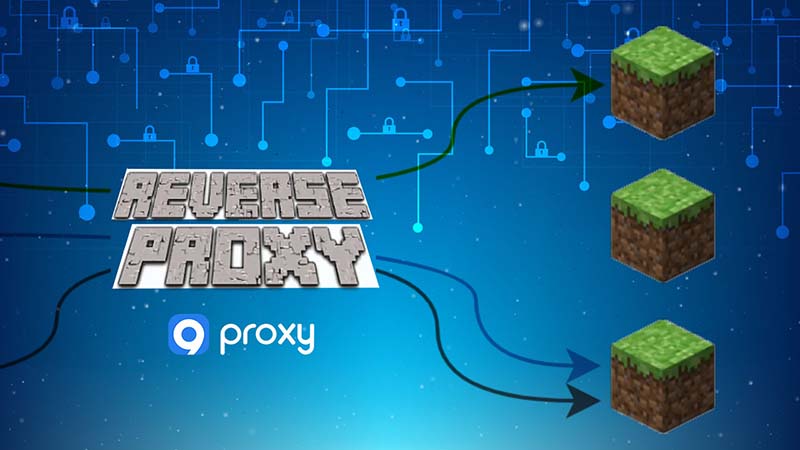
Load Distribution: Tools like BungeeCord help spread out player traffic across various servers, ensuring consistent gameplay without overloading a single server.
3. Overcoming Geographical Barriers:
Some servers might block players based on their location. A proxy can act as a gateway, allowing players from restricted areas to join.
4. Evading IP Bans:
Using a different proxy server can help players access servers that might have previously banned their original IP address. However, this might violate some server rules.
5. Uninterrupted Gameplay During Maintenance:
Proxies can guide players to a backup server when the main one is undergoing updates, maintaining the flow of the game.
6. Expanding Server Capacities:
Proxies enable connecting to multiple Minecraft servers, allowing seamless transitions between different game worlds.
7. Diverse Game Modes and Modifications:
Server admins can offer varied game modes or customized Minecraft versions, enriching the player’s experience.
8. Privacy Assurance:
Using a proxy helps keep personal details, such as location, private, reducing online risks.
9. Controlled Access to Servers:
Admins can monitor and filter who accesses their server, ensuring safety and quality of gameplay.
10. Effective Monitoring and Rule Enforcement:
Proxies assist server admins in overseeing game traffic and player behavior, ensuring everyone plays fairly.
11. Ethical, Legal, and Safety Considerations:
Always use proxy servers ethically. Misusing them can lead to bans or violate terms of service. Ensure the proxy provider is trustworthy to avoid data breaches, and always be mindful of local and international regulations regarding proxy usage.
How to Set Up a Reverse Proxy Minecraft Server
Setting up a reverse proxy minecraft server can offer several benefits such as enhanced performance, increased security, and improved control over incoming and outgoing server traffic. This guide aims to simplify the process into straightforward steps.

Prerequisite
Before diving into the configuration steps, make sure you have the following software installed on your server:
Nginx: This will act as our reverse proxy.
libnginx-mod-stream: This module ensures that Nginx can handle TCP (a protocol used by Minecraft) traffic properly.
Configurations
For the sake of this guide, let's assume your Minecraft server is hosted on server.example.com using port 25565.
Note: Some commands may require elevated privileges, often achieved with 'sudo'.
Modify Nginx Configuration:
On the server designated for reverse proxy, locate and open the Nginx configuration file. This is typically found at /etc/nginx/nginx.conf on Ubuntu systems installed via 'apt'. Append the following configuration:
stream {
server {
listen 25565; # The port your proxy will use
proxy_pass server.example.com:25565; # Your original Minecraft server's address and port
}
}
Reload Nginx:
After editing the config file, reload Nginx to apply the changes with the command:
service nginx reload
Adjust Firewall Settings:
If you're using a firewall, you'll need to allow traffic on the proxy port. On systems with ufw enabled, execute:
ufw allow 25565/tcp
Connect to The Reverse Proxy
When players wish to connect using the reverse proxy, they should input the proxy server’s address, in this example proxy.example.com:25565, into their Minecraft client. However, they still have the option to connect directly using the original server address and port.
Tip: If you're using the default port 25565, it doesn't need to be specified in the Minecraft client. For non-default ports, consider setting up an SRV record on your DNS, so players won't have to type in the port number. This is an optional but handy trick.
Safety Considerations:
Always remember to ensure your reverse proxy and Minecraft server are secured and monitored. While a reverse proxy adds an additional layer of protection, it is essential to keep both server configurations updated and patched.
FAQ
Can a proxy server improve my game's performance?
Yes, a high-quality, well-located proxy can boost connection speed.
Can I get banned for using a proxy server in Minecraft?
Possible, but with careful use and frequent IP changes, risks are low.
Do I need a separate Minecraft account to use a proxy server?
No, the proxy alters your connection method, not your account.
Can I use a Minecraft proxy server to manage multiple game modes for my players?
Yes, proxies can help players switch between modes or worlds seamlessly.
Are there risks associated with using a Minecraft proxy server?
Yes, an insecure proxy may expose your data. Choose reputable providers and avoid dubious free options.
Conclusion
In conclusion, a Minecraft proxy server provides clear benefits for gameplay, from faster connection speeds to smooth mode transitions. However, it is vital to be cautious and make security a priority. Explore our collection of articles here at 9Proxy for more gaming insights and tips. Your next gaming breakthrough could be just a blog post away!
获取有关 所有代理相关内容 的时事通讯