
YouTube Unblocked: 10 Fast Methods to Access Blocked Videos
If you've ever been blocked from watching your favorite clips, this guide of 9Proxy on YouTube Unblocked is made for you. This blog explains why YouTube gets blocked and provides two practical solutions: one without using a proxy and one with. Both methods are effective: one is quick and easy for short-term access, while the other offers more stable and secure viewing over time.
You’ll also learn how proxy services work, when to use them, and how they help bypass restrictions without risking your online safety. Whether you're trying to access one video or watch freely anytime, we’ll show you how to regain access to restricted content, protect your privacy, and stay safe online with easy-to-follow steps.
Understanding YouTube Blocking
YouTube blocking refers to any restriction that prevents users from viewing or accessing content on the platform. This can happen in several ways: when YouTube removes or restricts videos for policy violations, when creators block certain ads or regions, when users block channels they don’t want to see, or when entire networks block access to YouTube itself.
In most cases, blocking occurs at the network or regional level, often due to government censorship, copyright licensing agreements, or firewalls in schools and workplaces. Technically, YouTube identifies users through their IP address, a unique digital identifier that reveals location and network settings. If your IP matches a restricted list or region, the platform automatically denies access to the content or site.
There are three main forms of restriction:
- Geo-blocking: Limits a video to certain countries only.
- Network-level blocking: Stops YouTube on public Wi-Fi or on school and workplace networks.
- Platform or account-based restrictions: Applies to specific channels or to content with age limits.
These blocks can help with rules and compliance, but they also reduce access to education, entertainment, and global communication. That is why safe and ethical ways to reach YouTube Unblocked matter, not just for convenience but for digital freedom.
10 Ways to Access YouTube Unblocked
Before diving in, let’s explore how we can effectively restore your access. Each of the following sections presents practical ways to unblock YouTube, rated for effectiveness, simplicity, and security.
Quick Access Methods (No Installation)
When you can’t install new apps or extensions, these quick tricks can get you back to your favorite content in seconds.
HTTP to HTTPS
If http://www.youtube.com is blocked, try switching to https://www.youtube.com. This simple change can bypass some basic restrictions.
Effectiveness: Medium-High
Google Translate
Paste the YouTube URL into Google Translate, choose any two languages, and click the translated link. It acts like a lightweight proxy.
Effectiveness: Medium
URL Shorteners
Use tools like TinyURL or Bitly to shorten the blocked YouTube link. The new link may bypass some filters.
Effectiveness: Low-Medium
Mobile Hotspot
Disconnect from restricted Wi-Fi and use your phone’s hotspot with mobile data to access YouTube freely.
Effectiveness: High
Change DNS
Switch to public DNS servers like 8.8.8.8 or 8.8.4.4 (Google DNS) to get around network-level restrictions.
Effectiveness: Medium-High
Use IP Address
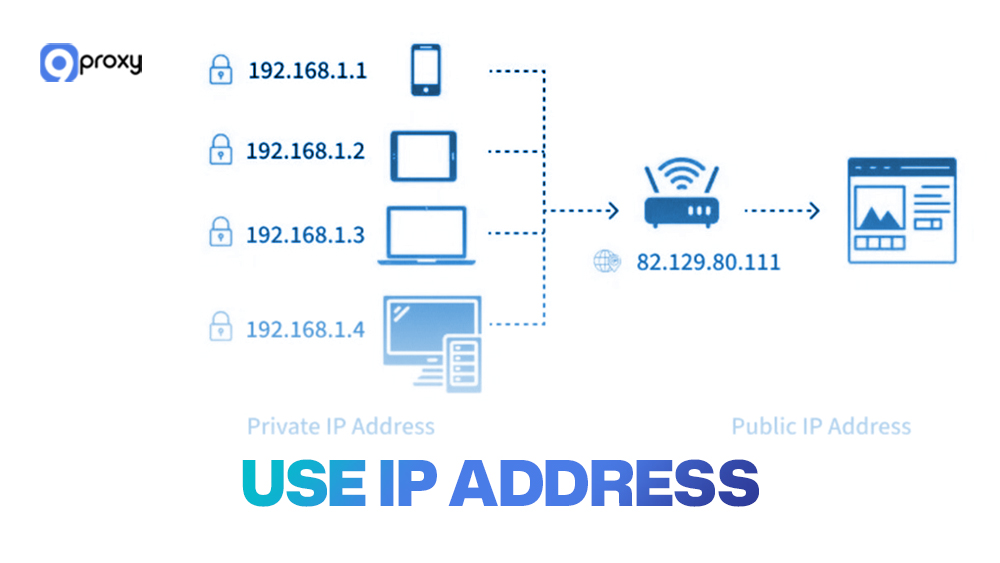
Try entering a direct YouTube or Google IP in your browser instead of the domain name. This may bypass basic blocks.
Effectiveness: Low
Although these non-installation methods offer a simple and fast way to get unblocked for YouTube, they are often the first to be detected and blocked by network administrators. For broader access to blocked sites, consider using a free proxy for blocked sites, which can help bypass more complex restrictions.
Browser-Based Solutions
These solutions integrate directly into your browser, offering more consistency and features than the quick tricks above.
Browser Extensions (VPN/Proxy)
Browser extensions are small programs that add functionality to your web browser, including proxy or VPN services to help unblock to youtube. They're easy to install and activate with a single click.
Safety Evaluation Criteria: When choosing an extension, always check:
- User Reviews: Look for highly-rated extensions with thousands of users.
- Developer Reputation: Prefer extensions from reputable security companies.
- Permissions: Be wary of extensions asking for excessive permissions (like reading all your data).
- Privacy Policy: Ensure the developer clearly states they don't log or sell your browsing data.
For those looking to access platforms like TikTok or Facebook, a tiktok proxy server or an unblock facebook proxy can be integrated as browser extensions for seamless access.
https://pixelscan.net/blog/wp-content/uploads/2025/05/Blog-images-3_181-9proxy-review-scaled.webp
Browser Extensions (VPN/Proxy)
Tor Browser
Tor Browser sends your internet traffic through a global network of volunteer-run relays. This hides your identity and helps bypass censorship. It can be useful for reaching YouTube Unblocked when appropriate and lawful.
Legality clarification: Using Tor Browser is legal in most countries. Its main purpose is to protect privacy and help users access information where it is restricted. While some people use it to reach illegal content, the tool itself is not illegal. The main drawback is speed. Multi-layer routing often makes browsing slow, which can be frustrating for streaming.
Advanced Methods: Proxies & VPNs
For users who prioritize stability and privacy, advanced solutions like web proxies, SOCKS5 proxies, VPNs, and Smart DNS will offer better results.
Web Proxies & SOCKS5 Proxies
Web Proxies
You can access a YouTube proxy site such as Hide.me or HMA Proxy. Simply enter the video link, and it reroutes traffic through a remote server.
- Pros: Fast setup, free options.
- Cons: Ads and data exposure risks
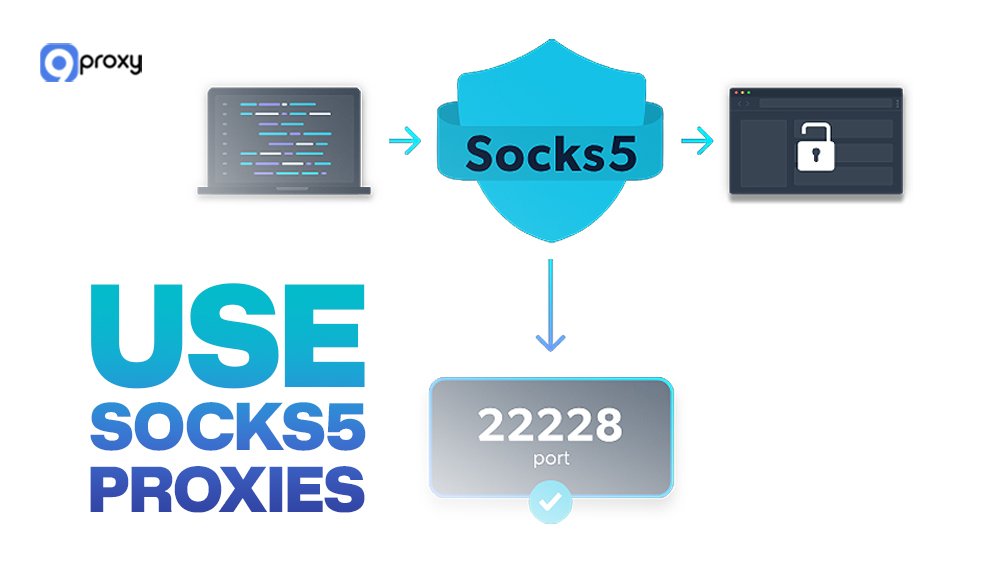
SOCKS5 Proxies
A SOCKS5 proxy (like those offered by 9Proxy) provides flexible routing at the application level, offering both speed and encryption.
9Proxy supports SOCKS5, HTTP, and HTTPS protocols to boost security, enhance performance, and deliver faster, more reliable connections. We also offer authentic residential proxies in over 90 countries.
- Pros: Highly customizable, ideal for power users.
- Cons: Needs manual setup.
If you prefer building your own proxy setup, you can use a node unblocker on a remote server. This lets you customize and control how your internet traffic is routed for better flexibility and performance.
VPNs (Virtual Private Networks)
Virtual Private Networks (VPNs) encrypt your traffic end-to-end. Services like NordVPN, ExpressVPN, or 9Proxy SecureVPN allow you to stream from any location.
- Pros: Best for privacy and consistent access.
- Cons: Paid plans often required.
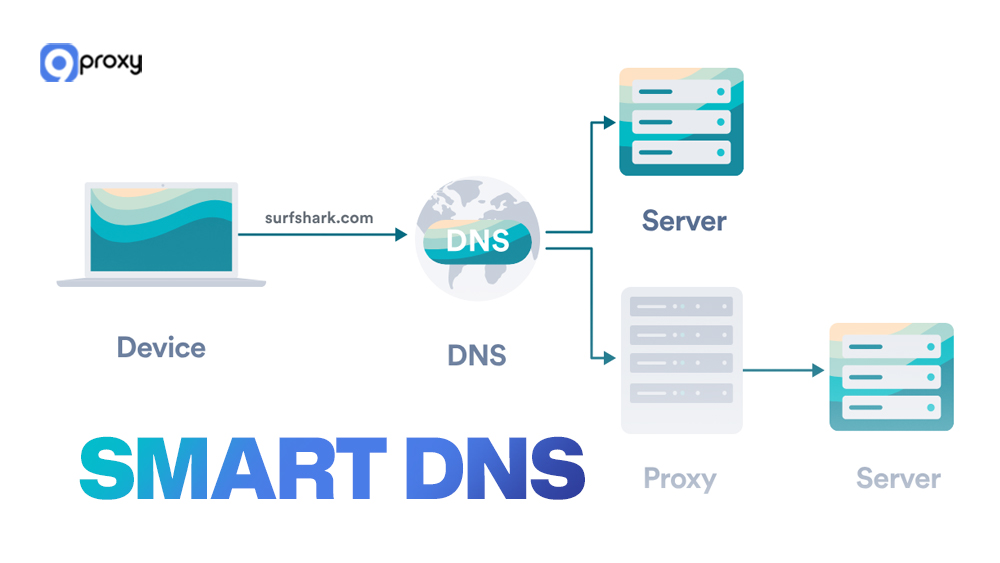
Smart DNS
A Smart DNS reroutes only location data, not all traffic. It’s faster than a VPN but less secure. Ideal for streaming-only users.
Free vs. Paid: Free tools may expose your data or throttle speeds, while paid services such as 9Proxy’s SOCKS5 or VPN offer higher stability, anonymity, and dedicated support.
Special Cases
When YouTube access is restricted in certain environments, different methods work better depending on the situation. Below are some solutions for specific situations that help you stay safe, legal, and responsible while keeping YouTube unblocked.
School/Work-Specific Strategies
If allowed, use a Mobile Hotspot or a paid VPN with stealth or obfuscation technology so traffic looks normal. Always follow school or company policies.
Legal Offline Downloading Options
Direct YouTube downloads break the Terms of Service. Only download when the creator offers a legal Download button on their site or platforms like Vimeo.
Ethical Access Approaches
Where lawful, a VPN can help with access to information. At school, wait for a break and, if needed, use a Mobile Hotspot off the school network.
Comparison & Suggestion Guide
Below is a detailed comparison of different YouTube Unblocked methods, showing their strengths, weaknesses, and best use cases.
This table helps identify which method best fits your situation, whether for school, work, travel, or privacy-focused use. Overall, proxies and VPNs, especially from 9Proxy, offer the strongest balance between speed, reliability, and safety.
Security and Privacy Concerns
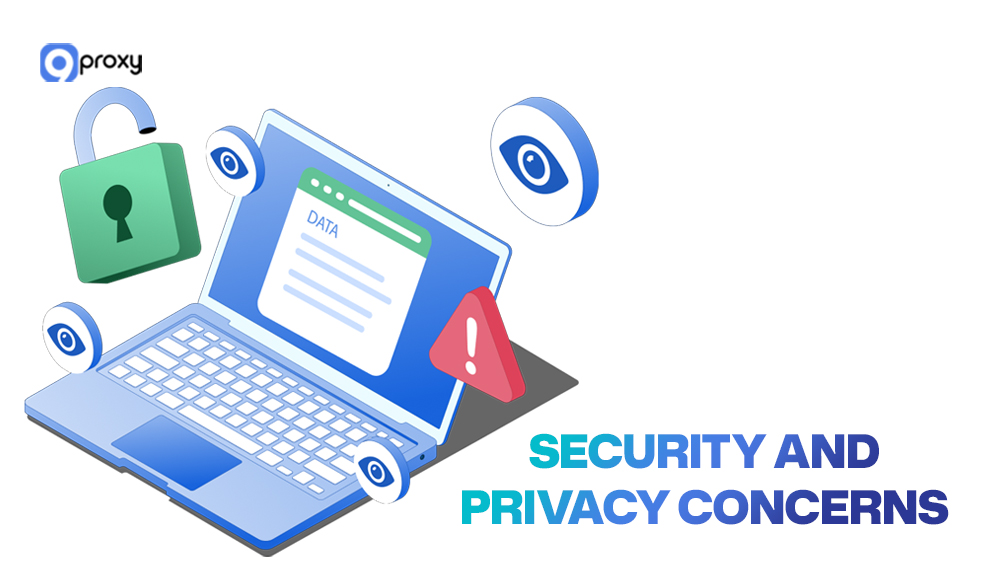
When searching for an unblock youtube extension or a free service, you need to be aware of the risks. Many free tools come at a hidden cost.
- Malware and Adware: Free tools may bundle malicious software.
- Data Theft and Logging: Free proxies or VPNs often track your browsing and sell your data to advertisers.
- IP Tracking/Exposure: Low-quality services may "leak" your true IP address, defeating the purpose of unblocking.
- Weak Encryption: Your connection might not be securely encrypted, leaving your activity visible to your ISP or network administrator.
Legal & Ethical Issues
In most countries, using YouTube Unblocked methods is legal if you’re not accessing or sharing copyrighted or harmful content. However, in nations with strict censorship laws, bypassing restrictions might be regulated or monitored.
At schools or workplaces, using proxies or VPNs could violate network rules. Always prioritize ethical, transparent use, focusing on learning, research, or fair entertainment. 9Proxy recommends staying compliant with both local and platform policies.
If you want a powerful, reliable, and secure way to keep YouTube Unblocked, free tools often fall short. 9Proxy solves this with a premium residential proxy service built for stable access and privacy.
Why choose 9Proxy
- Covers 90+ countries with real residential IPs, giving you a steady digital identity wherever you connect
- No Bandwidth Limits: We sell by individual IP, not by data packages. Stream, download, and upload without data caps, and control your costs easily.
- Top-Tier Security: Support for SOCKS5/HTTP/HTTPS protocols for safer, faster, more reliable connections.
- Clean and Unique Pool: A dedicated, clean IP pool that lowers the chance of blacklisting.
- Risk-Free Usage: If a proxy fails within 60 seconds, check your Today List and get an instant refund to your account.
- Cost-Saving Reuse: Reuse any IP from your Today List within 24 hours (while it’s still online) without spending a new IP.
With 9Proxy, you are not just bypassing a block; you are getting a fast, private, and dependable connection for a truly borderless streaming experience.
Conclusion
To sum up, accessing YouTube Unblocked can be done safely with the right method, whether through a simple DNS change, a proxy, or a secure VPN. Each technique has unique advantages, but the most reliable approach combines speed, privacy, and legality.
For the best experience, explore 9Proxy’s secure proxy network, your gateway to safe, unrestricted, and seamless YouTube access worldwide.
获取有关 所有代理相关内容 的时事通讯